
Documentation menu
IP blocker
The IP blocker blocks connections to and from the IPv4 and IPv6 addresses on your block lists, for every app on this PC. To open it, choose IP blocker in the sidebar.
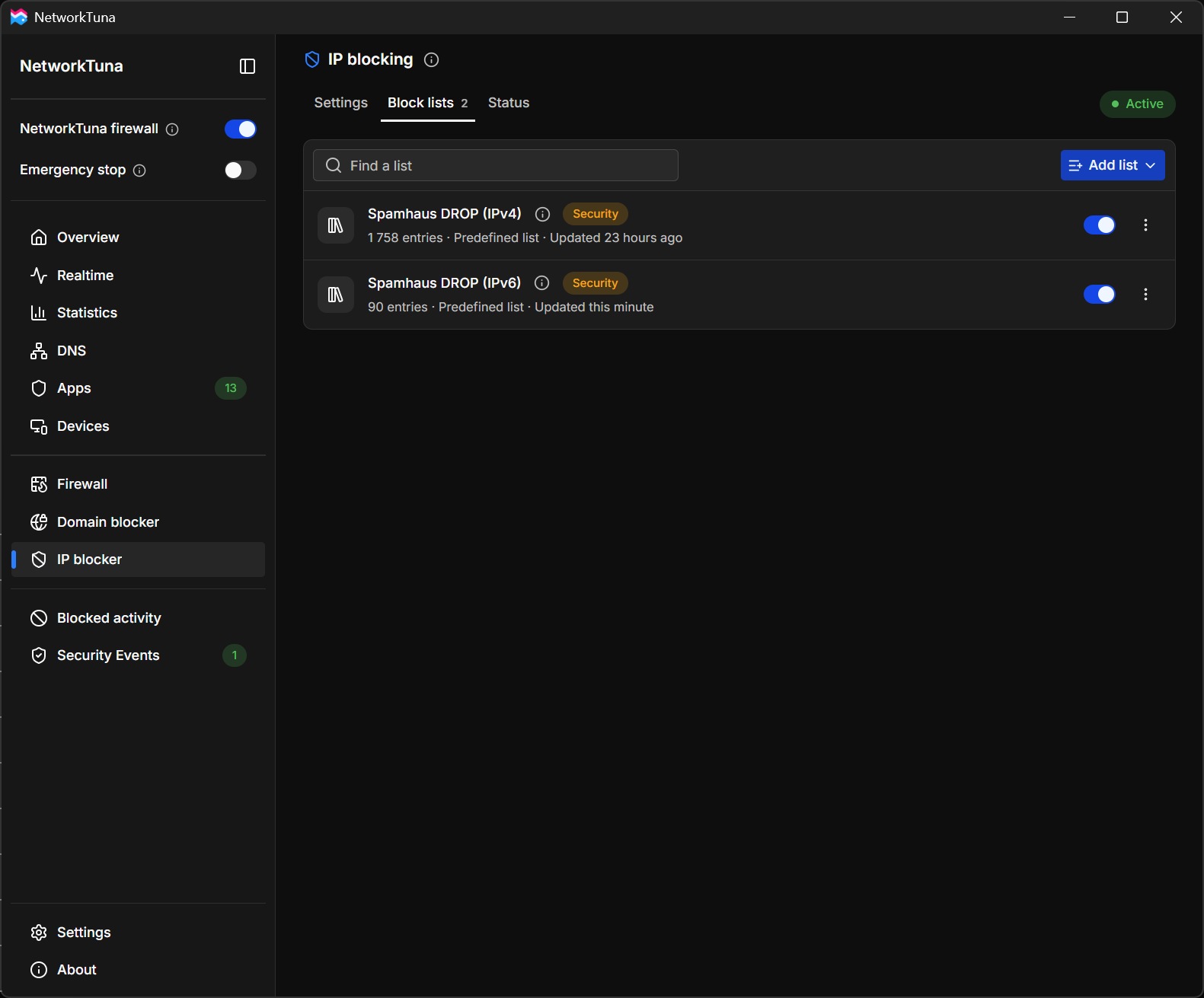
It works like the Domain blocker, with the same three tabs: Settings, Block lists and Status. This page describes what is different.
Turn on IP blocking
IP blocking is off until you turn it on.
- On the Settings tab, turn on Block IP addresses on your lists.
- Click Manage lists and then Add list to add a list.
A change to your lists also applies to connections that are already open.
Block lists
Lists of addresses have the same modes as domain lists, Block, Watch only and Allow exception, and the same categories. See What a list does. Matches from Security lists also appear in Security Events, and NetworkTuna notifies you with the address and the list.
- Predefined list offers Spamhaus DROP (IPv4) and Spamhaus DROP (IPv6): networks that are hijacked or run by professional spammers and cybercriminals. Spamhaus advises not to exchange any traffic with them. NetworkTuna downloads the lists from Spamhaus and checks them for updates about once a day.
- Create a list: type one IPv4 or IPv6 address, range or network (such as
203.0.113.0/24) per line. Lines starting with#are comments. - Import a file reads a text file of addresses from this PC.
Status
The Status tab shows what your lists did in the last 7 days, on the Blocked, Watch and Allowed tabs. Find an IP address searches them. Click an address to see which lists matched it, and Allow next to a blocked address adds it to an Allow list.
The numbers count matches, not connections. One connection can match several times. NetworkTuna does not record which app was involved, and it stores no addresses that match no list.
When IP blocking pauses
On some PCs, NetworkTuna cannot cover every network that Windows uses, or every address that Windows needs for name lookups. To keep your connection working, it then pauses IP blocking. The badge at the top right of the page says Unavailable, and pointing at it shows the reason. Your lists stay saved. Emergency stop also pauses list blocking, because it blocks all traffic anyway.