
Documentation menu
About
NetworkTuna is a Windows app by DeinitLabs that helps you detect and investigate suspicious network activity around your PC, with optional monitoring of your router. It also lets you decide which apps may use the network, and shows who uses the network and how much, right now and over time.
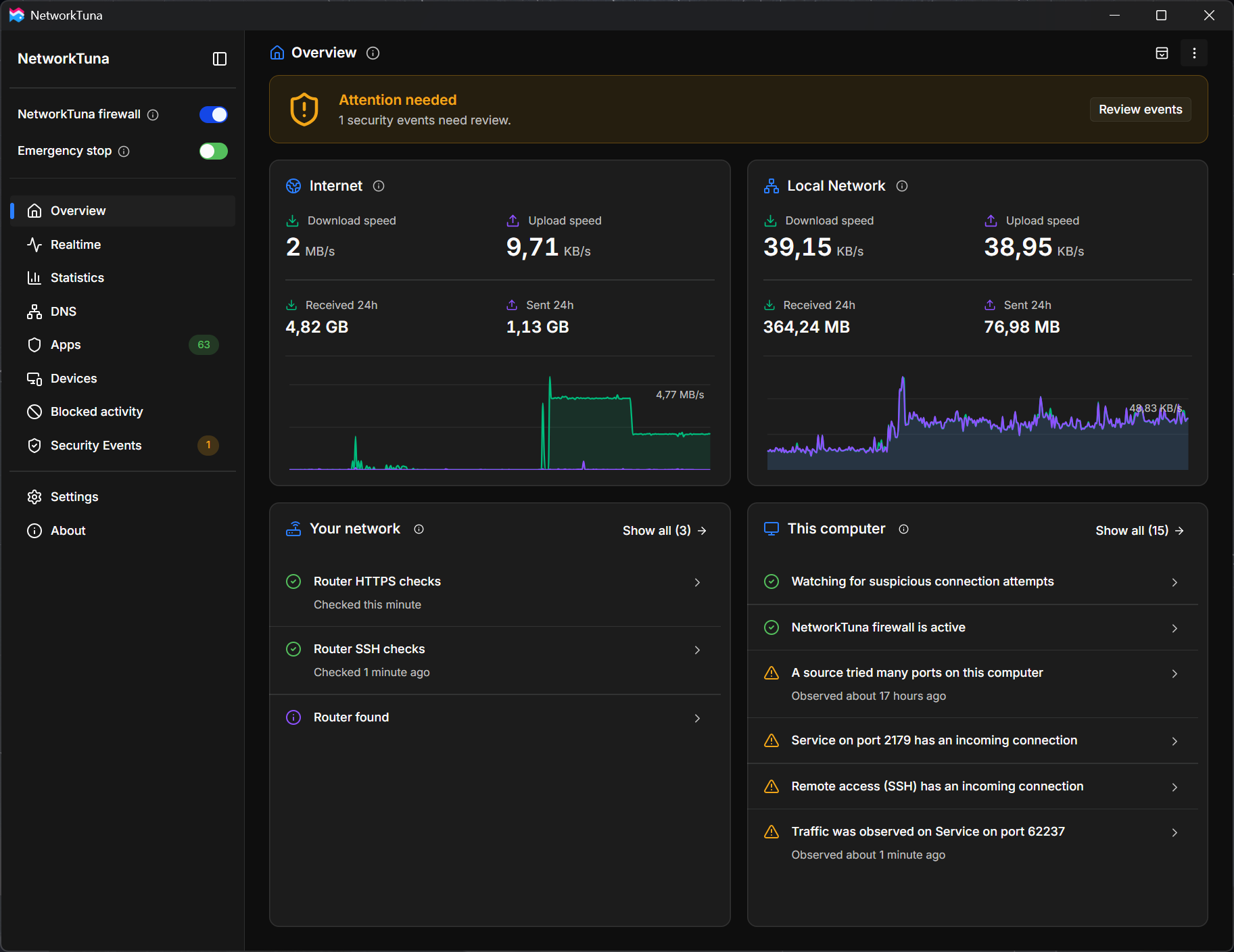
NetworkTuna works alongside Microsoft Defender Firewall or your preferred Windows firewall. It is an addition, not a replacement.
Detect suspicious activity
NetworkTuna looks for signs that something on your network is probing your PC or trying to reach it, and explains what it found:
- Port scans: a device on your local network tries many ports on this PC.
- Attempts to reach sensitive services: repeated attempts to reach services such as remote access (SSH), Remote Desktop (RDP) or file sharing (SMB) on this PC, including attempts that the Windows firewall blocked without telling you.
- Router monitoring (optional): NetworkTuna checks the router your PC uses, on Wi-Fi or a wired network. It can warn when the router's remote access (SSH) becomes available or when its remembered SSH key changes. Turn it on in Settings › Security › Router.
- New devices: NetworkTuna notes devices that appear on your local network.
Findings appear on the Overview and Security Events pages, and NetworkTuna can notify you about them. The Blocked activity page shows traffic that Windows blocked and explains why.
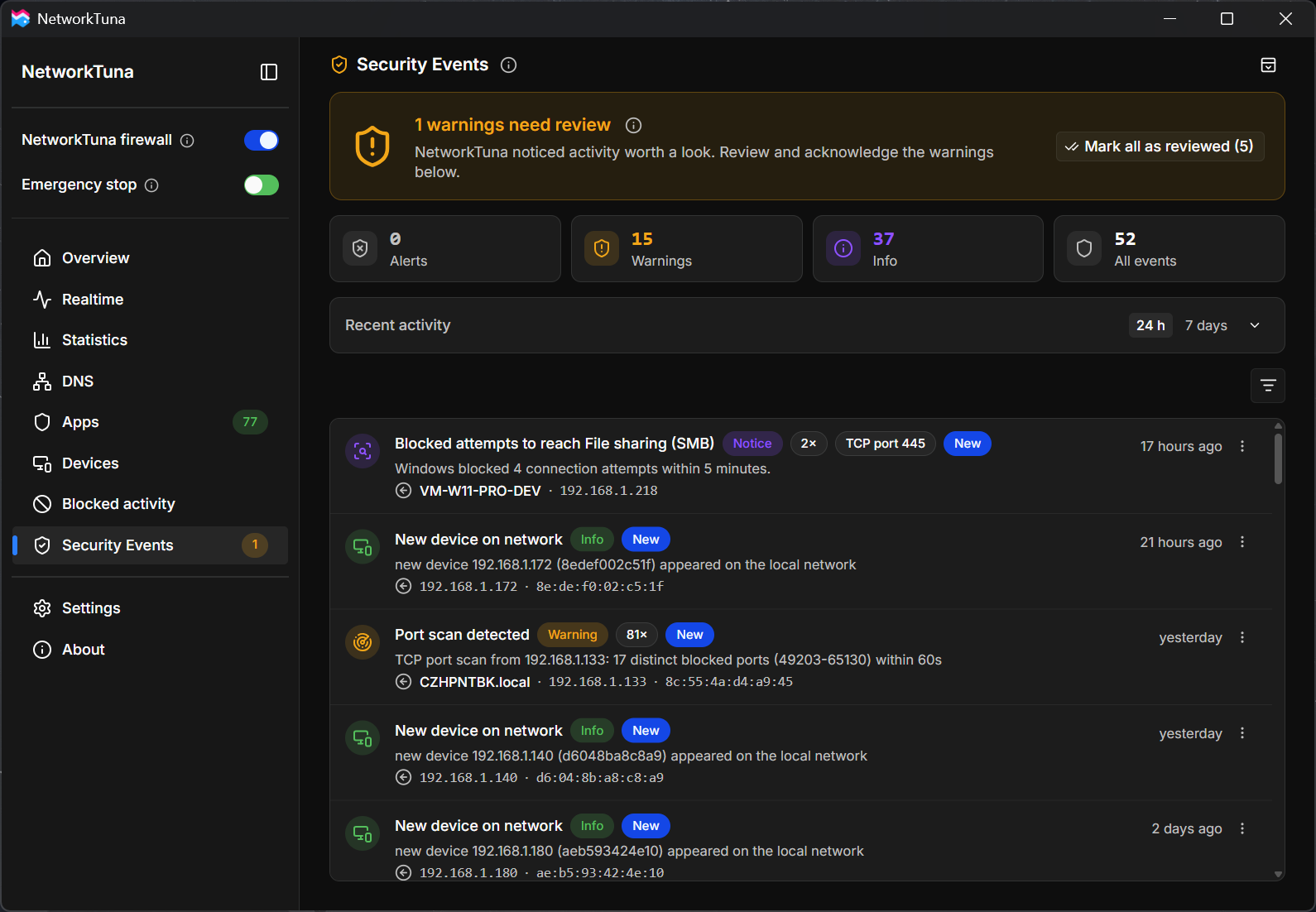
A finding is evidence, not proof: an attempt to connect is not a successful login. The checks cover activity that this PC can see, not every device on your network, and router checks do not inspect the router's firmware or prove that it is safe.
Decide which apps can connect
NetworkTuna keeps a list of every app that uses the network on this PC. When an app that you have not decided about yet tries to connect, NetworkTuna's app firewall checks who published it:
| The app is | What NetworkTuna does by default |
|---|---|
| Signed by Microsoft | Allows it |
| Signed by another publisher | Allows it |
| Unsigned, or its signature is invalid or could not be checked | Holds the connection and asks you |
A valid digital signature shows who published an app and that the file has not been changed since. With Automatically allow signed apps you can trust fewer apps: allow only apps signed by Microsoft, or be asked about every new app.
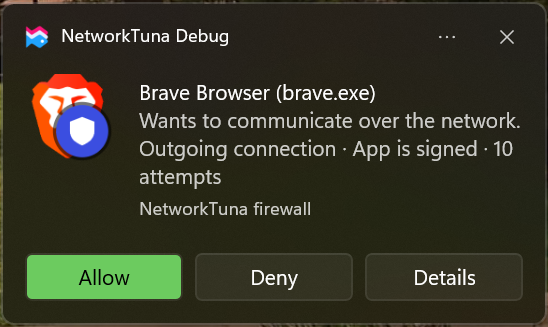
Every app then has its own setting, Allow, Ask or Block, for incoming and outgoing connections alike. You can also allow an app for a limited time only. See App management, control and monitoring.
See who uses the network
- The Realtime page shows which apps are connected right now, how much data they send and receive, and where they connect, with domain names where NetworkTuna knows them.
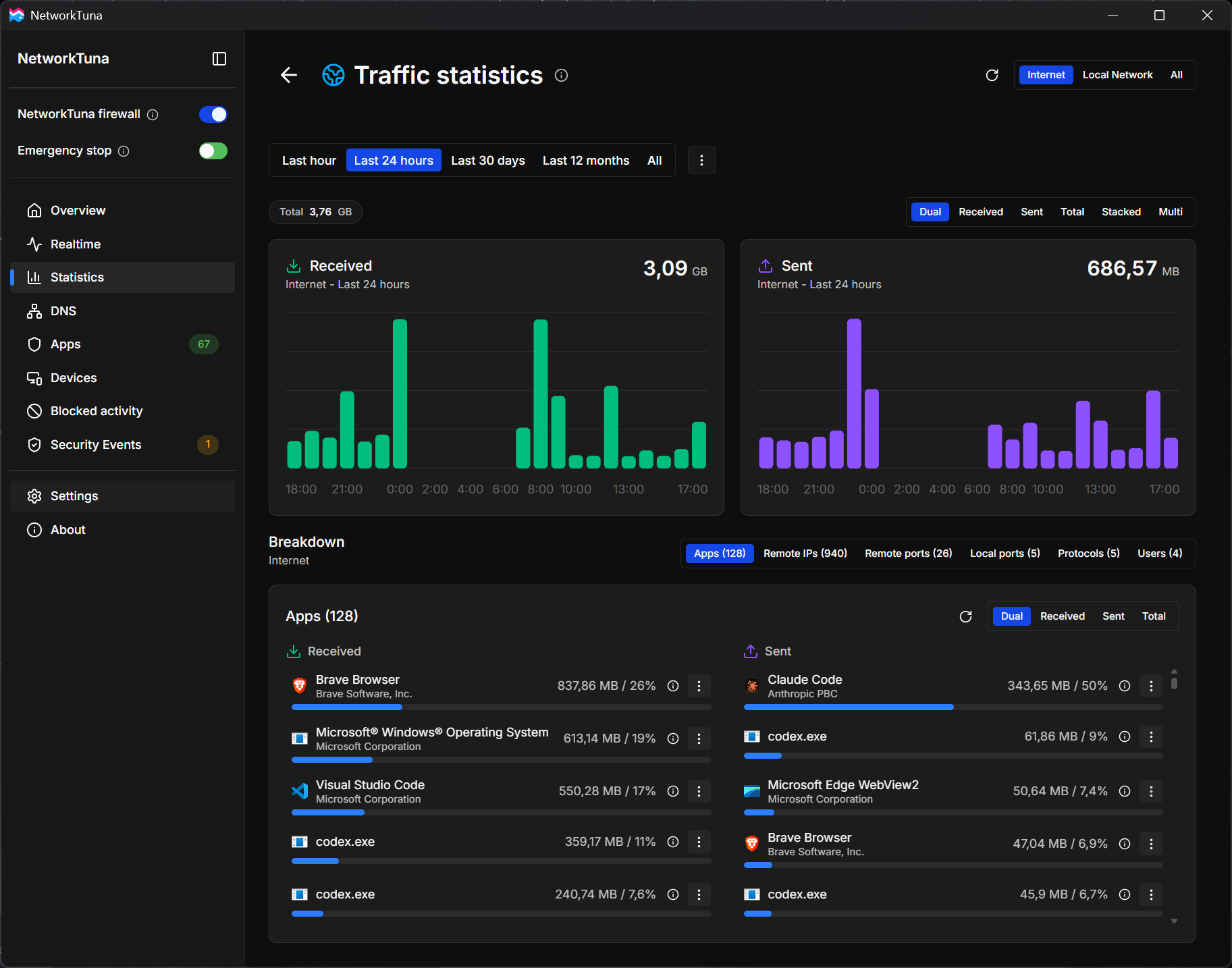
- The Statistics page keeps a history of your traffic for the last hour, 24 hours, 30 days, 12 months or all time, separately for the Internet and your local network. It breaks the traffic down by app, remote address, port, protocol and Windows user account.
Supported systems
NetworkTuna runs on Windows 10 version 1903 or later and on Windows 11, on PCs with an x64 (Intel or AMD) or an ARM64 (Windows on Arm) processor. Each processor type has its own installer. See Installation.
Your data
Your network history and NetworkTuna's findings stay on this PC. License verification, update checks and problem reports that you choose to send are separate. See the Privacy notice.
NetworkTuna starts with a 14-day trial. A license is a one-time purchase. See Pricing.