
Documentation menu
Connection requests
When an app that needs your decision tries to connect, NetworkTuna holds the connection and asks you whether the app may use the network.
Notifications
NetworkTuna shows a Windows notification with the app's name, the direction of the connection, whether the app is signed and how many attempts were made.
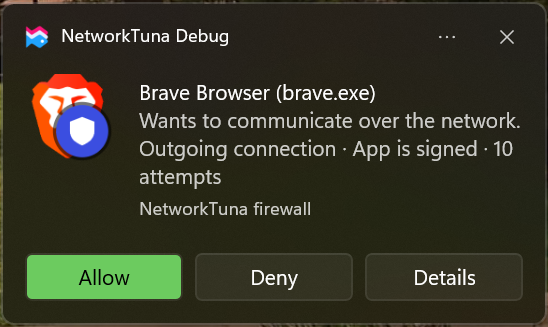
| Button | What it does |
|---|---|
| Allow | Allows the app |
| Deny | Blocks the app |
| Details | Opens the connection request window |
Allow and Deny save a permanent setting for both incoming and outgoing connections. To allow an app only for a while, use Details.
The connection request window
To open the connection request window, click Details in the notification. It shows the app's path, publisher, signature, recent addresses and the time of the first and last attempt. When several apps are waiting, choose one under App waiting for a decision at the top.
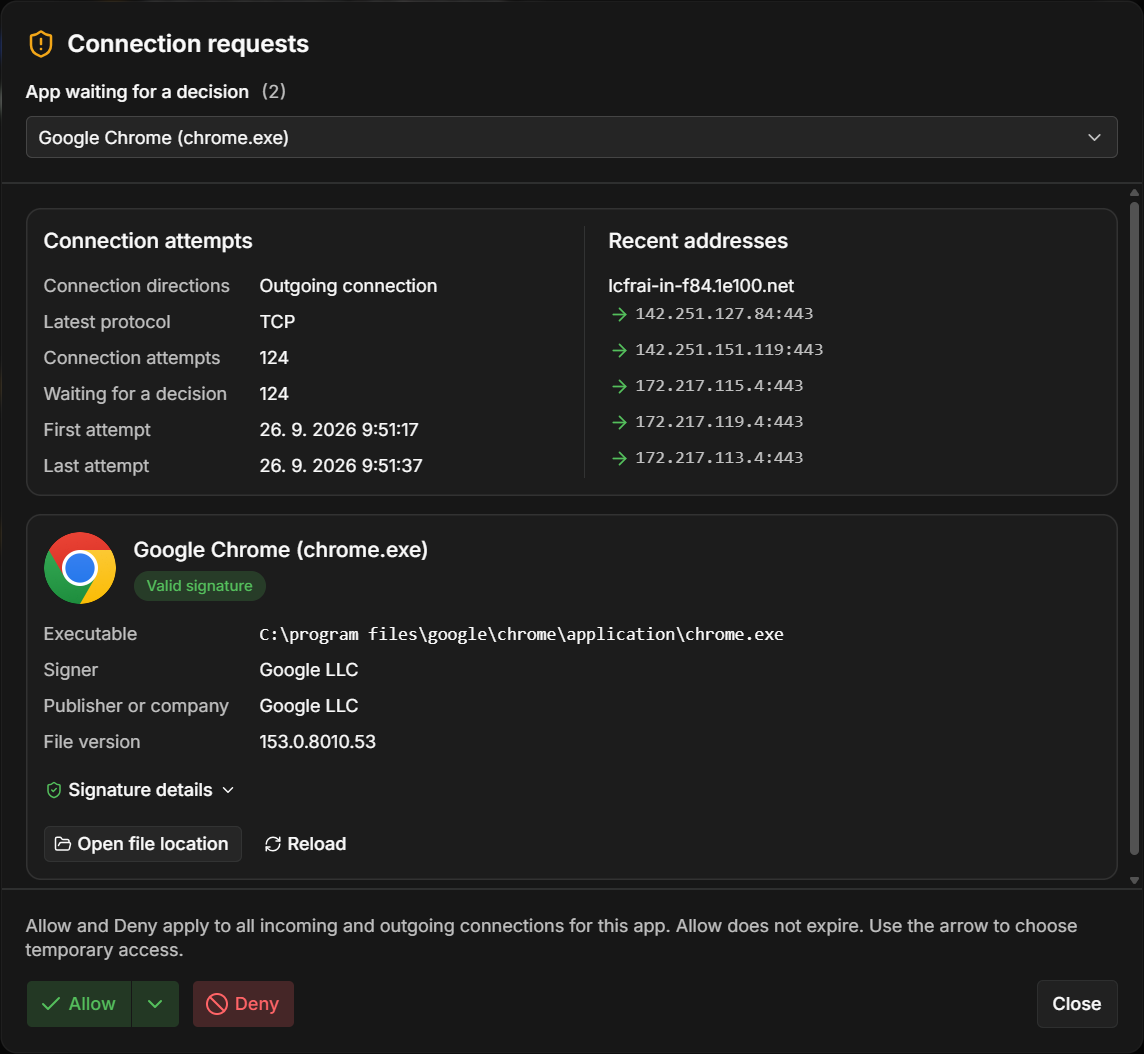
- Allow allows the app. The arrow next to it offers temporary access.
- Deny blocks the app.
- Close closes the window without a decision.
Pending requests
The Pending requests tab lists every app that is waiting for a decision. To open it, choose Apps in the sidebar and then Pending requests at the top right of the Apps page. The amber number next to Apps in the sidebar shows how many requests are waiting.

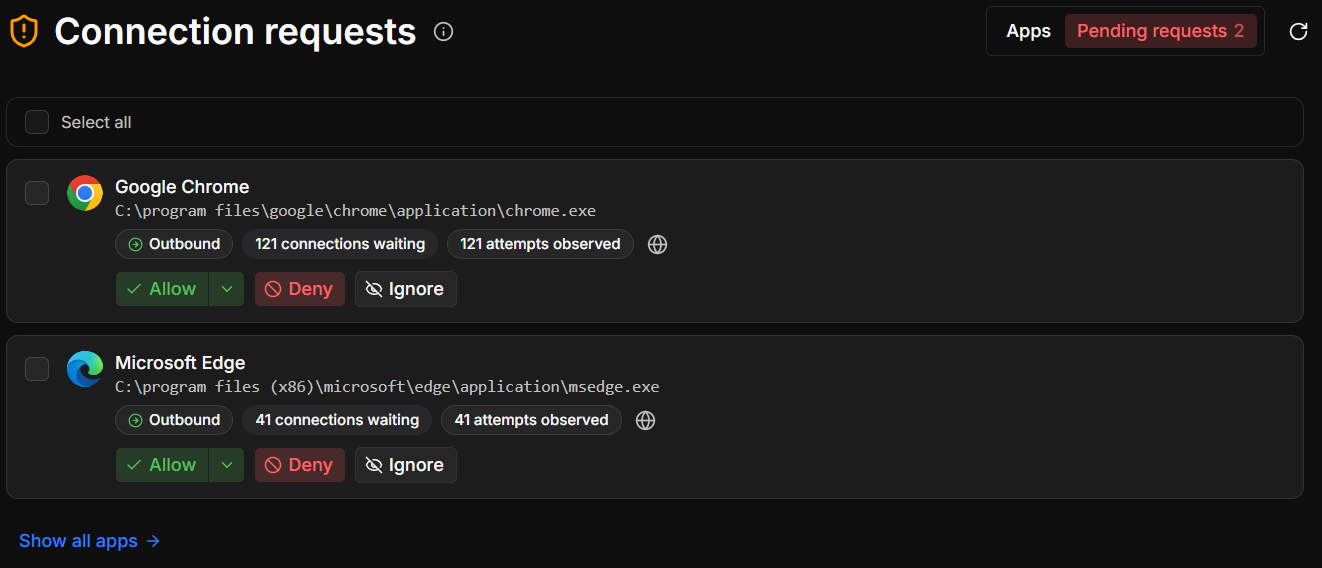
Select requests with their check boxes, or use Select all, to answer several at once.
| Action | What it does |
|---|---|
| Allow | Allows the app. The arrow offers temporary access. |
| Deny | Blocks the app |
| Ignore | Removes the request without a decision. The app's waiting connections are blocked and NetworkTuna asks again on its next attempt. |
| Dismiss | Removes the request of an app that no longer exists |
If you do not answer
A held connection waits at most 60 seconds. After that, it is blocked, but the request stays in Pending requests until you decide.
While the NetworkTuna app is closed, connections are not held by default. See Don't hold connections while the client is closed.